Login to your sub-account and click on Settings.

Navigate to Phone Systems and click on Voice.
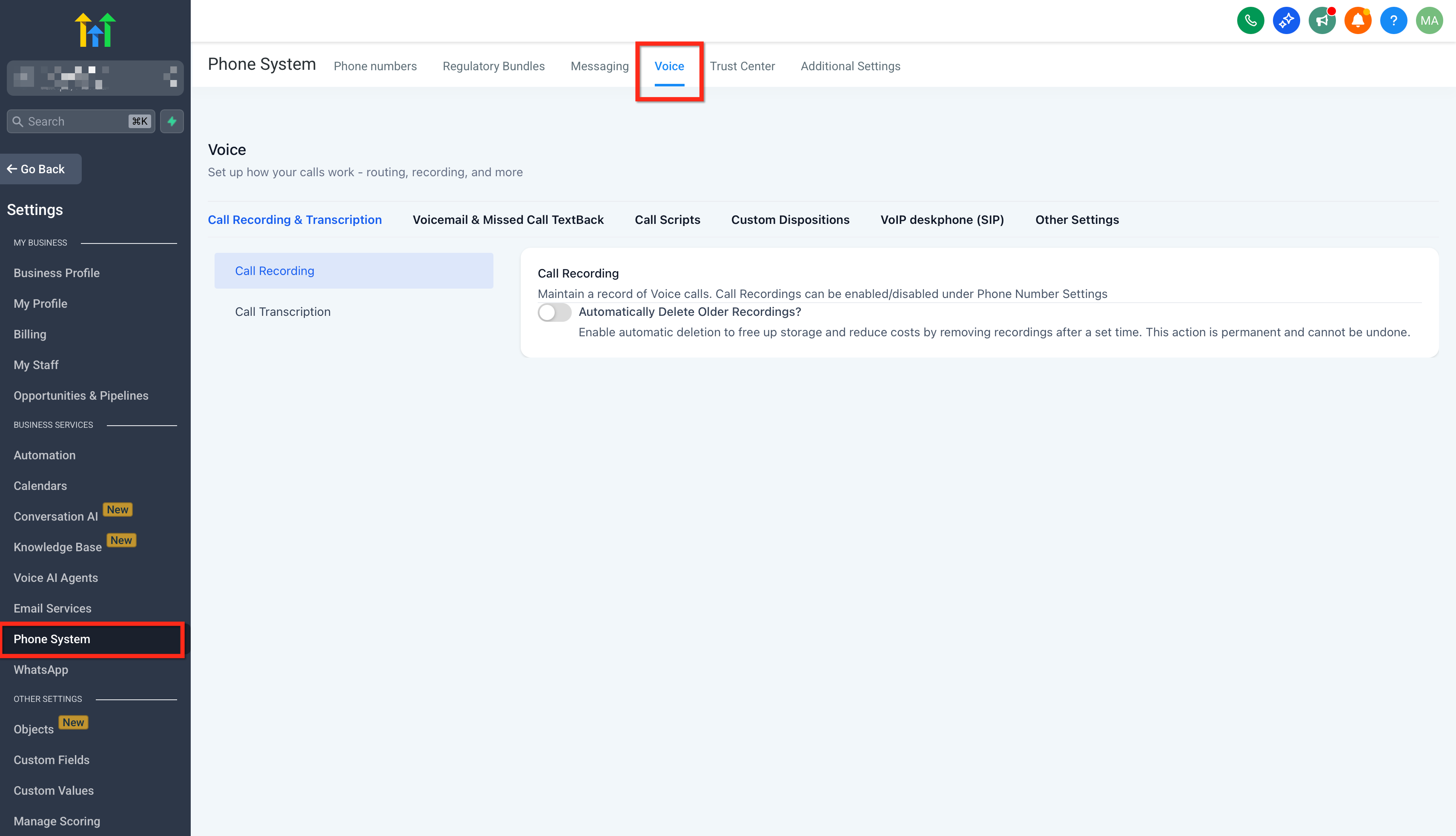
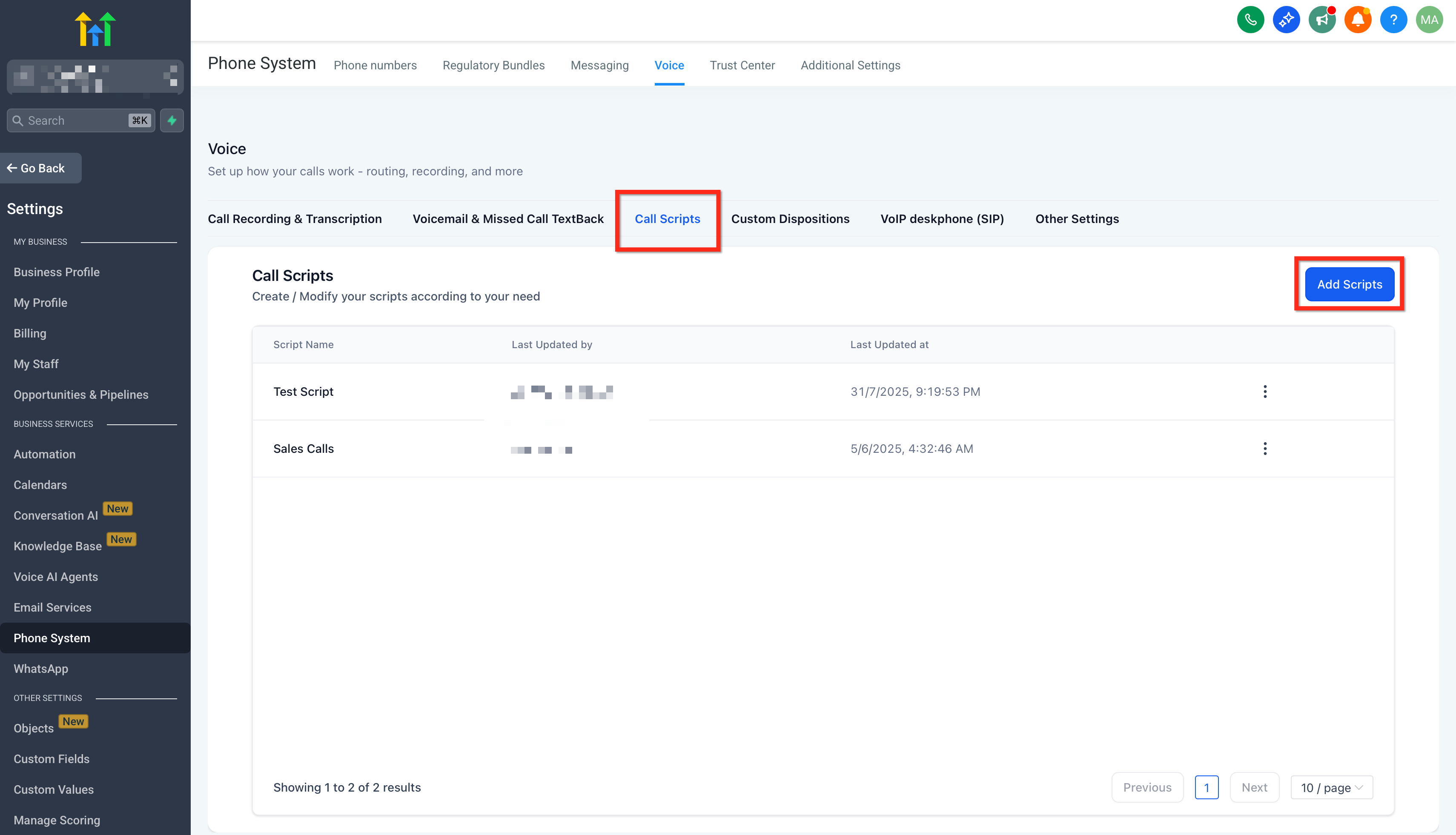
Click on Call Scripts and then on Add Scripts button.
Create a new call script by inputting your preferred content and click on Save.

Call Scripts is a feature within the STRINGConnect web dialer, app dialer and Lead Connector app dialer that delivers on-demand conversation guidance for staff members. This tool empowers your team with structured insights during every call, ensuring that important qualifiers are never missed, objections are handled smoothly, and compliance requirements are met consistently.
Call Scripts enhance your team’s performance by providing clear, repeatable talk tracks that support effective communication and faster ramp-up times.
Creating Call Scripts is a straightforward process designed to integrate guided call support into your existing workflow. Follow these steps to ensure your staff members can access the right script at the right time:
Login to your sub-account and click on Settings.
Navigate to Phone Systems and click on Voice.
Click on Call Scripts and then on Add Scripts button.
Create a new call script by inputting your preferred content and click on Save.