Open Payments
- In your dashboard, go to Payments.
Find the transaction
- Select Transactions to view all transactions.
- Locate the successful transaction you want to refund.
Start the refund
-
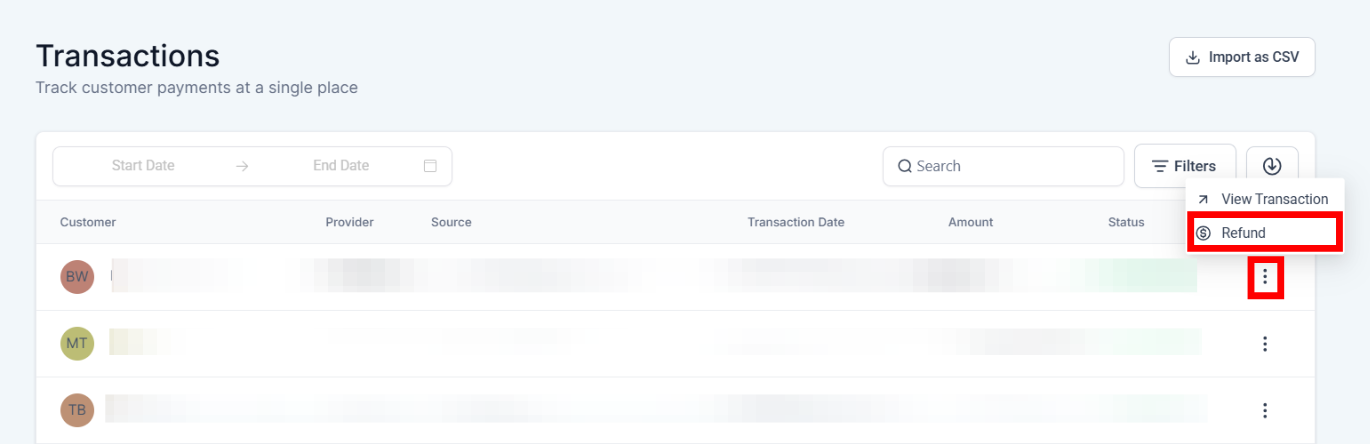
Click the three dots (more options) next to the transaction.
-
Select Refund.
Choose a refund type
-
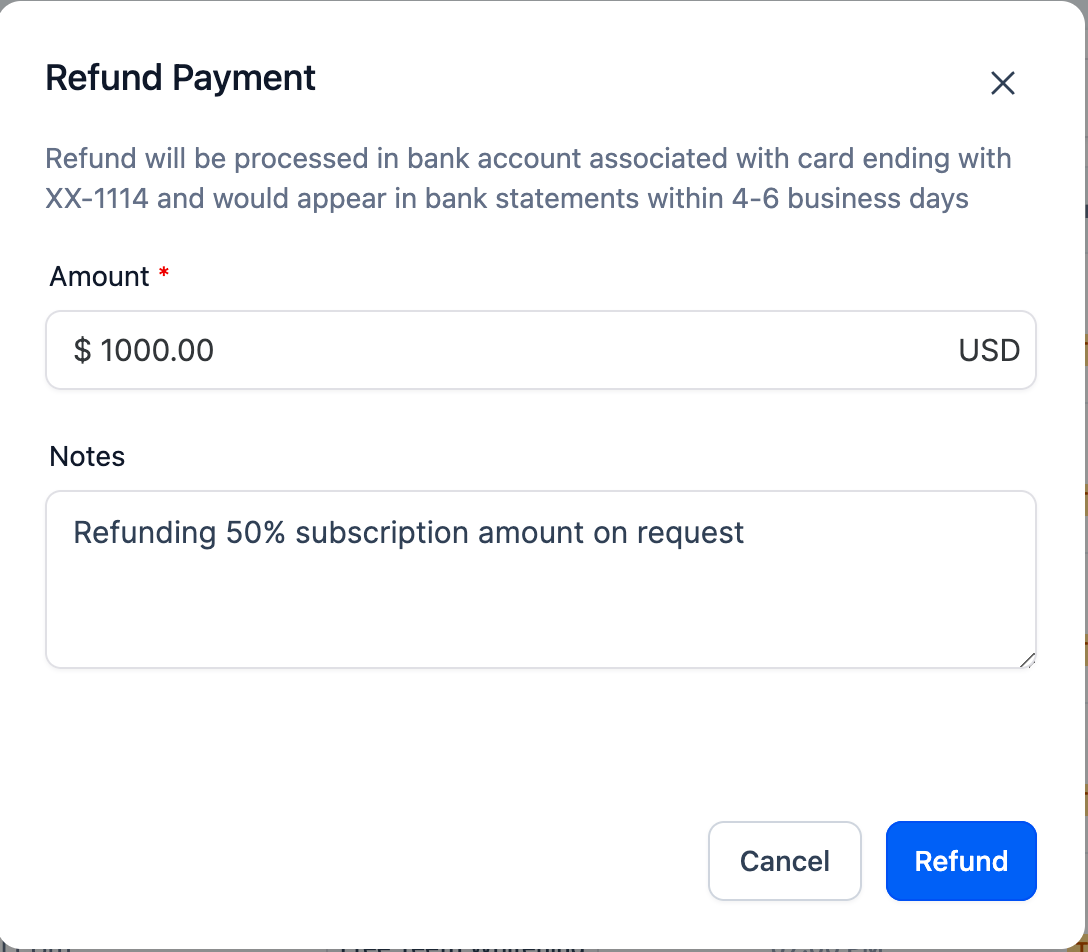
Full refund: the refund amount is pre-filled with the full transaction total.
-
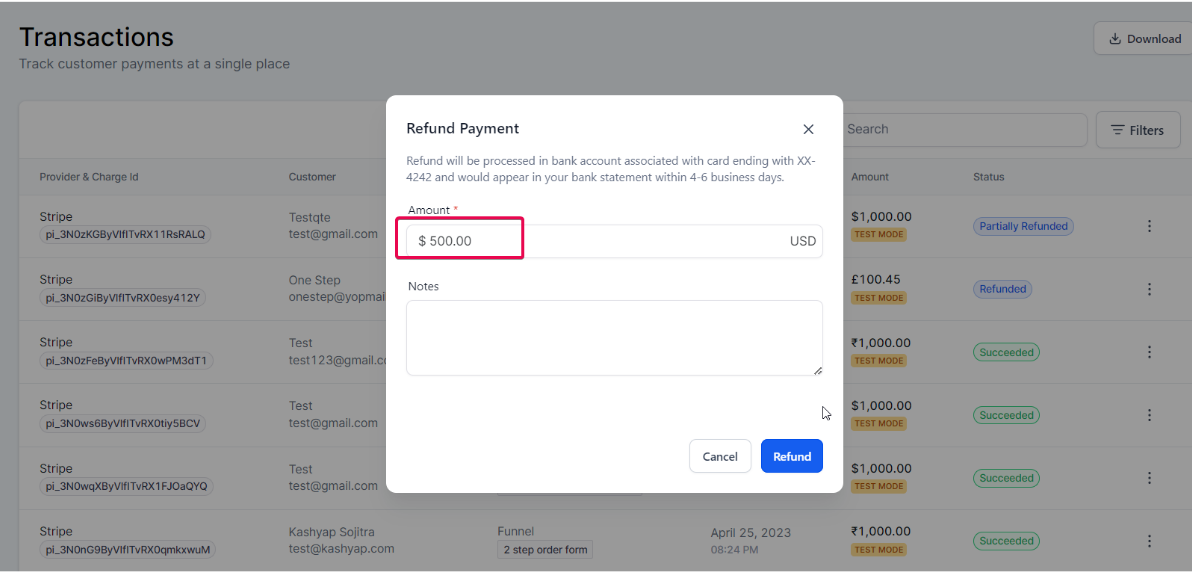
Partial refund: edit the pre-filled amount to any value less than the transaction total.
Review refund status
-
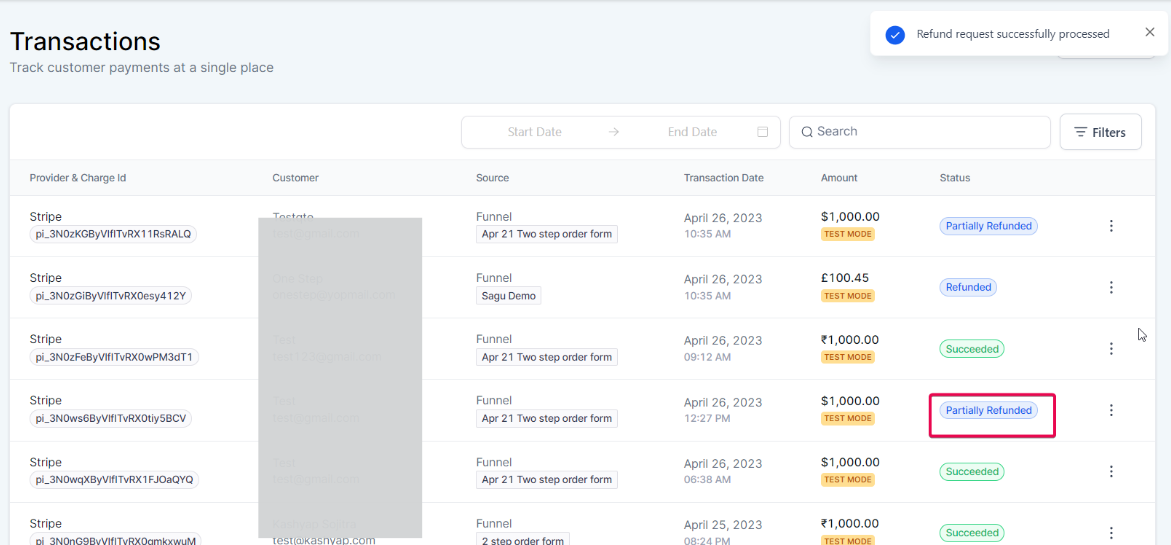
Open the Transaction Details page to see successful and failed refunds for that transaction.
-
You can process refunds from this page without logging into your payment provider’s dashboard.