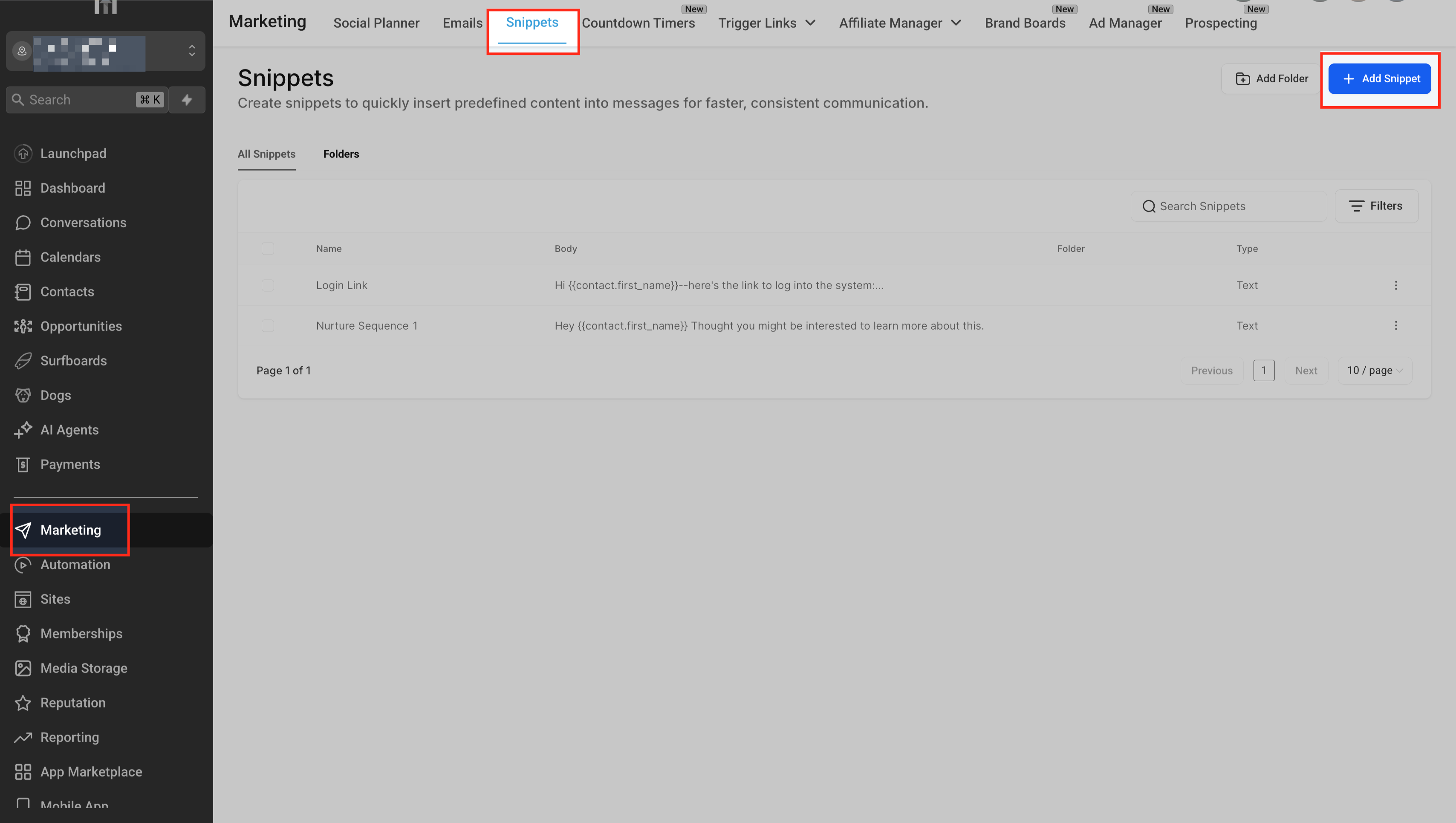
Text Snippets allow you to quickly insert reusable blocks of text. By saving commonly used content as snippets, you can maintain brand consistency, reduce repetitive work, and speed up the creation process across automations and campaigns.
Using text snippets in your email workflows offers several advantages:
Setting up and using text snippets is straightforward and helps you create emails more efficiently. Proper setup ensures your team can access and insert the right content whenever needed.
Open the left-hand navigation menu and click on Marketing > Snippets to begin creating or managing text snippets in your account. This is where all saved snippets are stored and accessible for reuse.
In the Snippets panel, click on + Add Snippet to launch the snippet creation window. Enter the Name, Body, and optionally attach files or test the message by phone. The preview pane on the right lets you see how the message will appear on a mobile device.